Meet Guru Maps for Apple Watch

Guru Maps is now on Apple Watch! 🎉 Keep your iPhone in your pocket and follow your route or record your activity right from your wrist.
The idea is simple: your iPhone plans, your Watch follows and records. You pick a route or start an activity, and the Watch keeps the essentials in front of you — where to turn, how far to go, and how you're doing.
Follow your route from your wrist
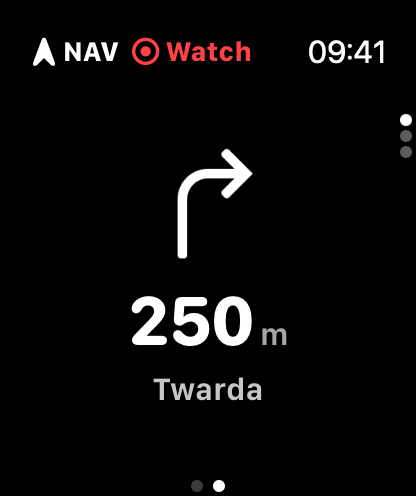
Start navigation on your iPhone, and your Apple Watch automatically switches into navigation mode. You'll see the next maneuver as a large, clear arrow with the distance to the turn and the street name — no need to take out your phone.
A glance tells you everything: a NAV badge shows navigation is active, and if you wander off the planned route, an OFF warning appears so you can get back on track. Just like the rest of Guru Maps, it all works offline, which makes it especially handy in remote areas with no signal.
See the climb ahead
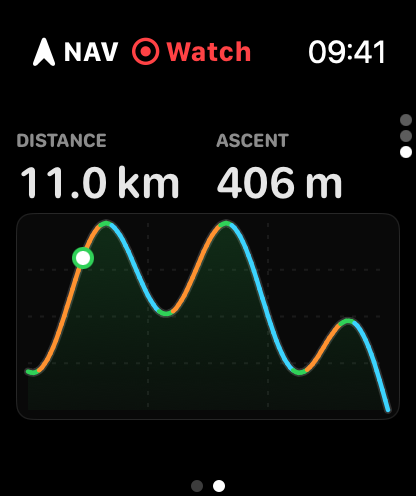
Swipe to the elevation profile to see the shape of what's coming. A live cursor marks where you are on the route, with the remaining distance and total ascent right above the chart — so you always know whether the hard part is behind you or still ahead.
Record without your phone
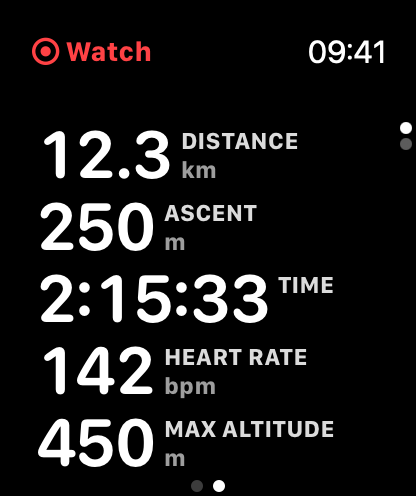
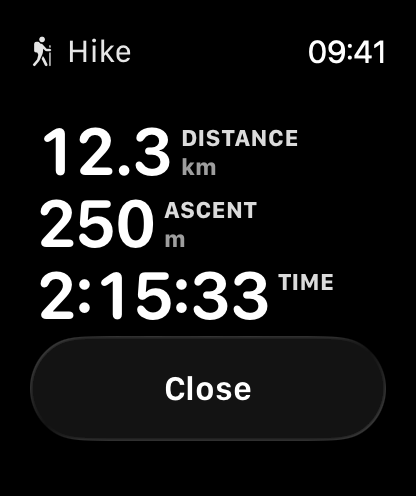
With Guru Maps Pro, you can record your activity directly on the Apple Watch — leave the iPhone behind entirely. Pick how you're moving — Hike, Walk, Run, or Bike — and tap start.
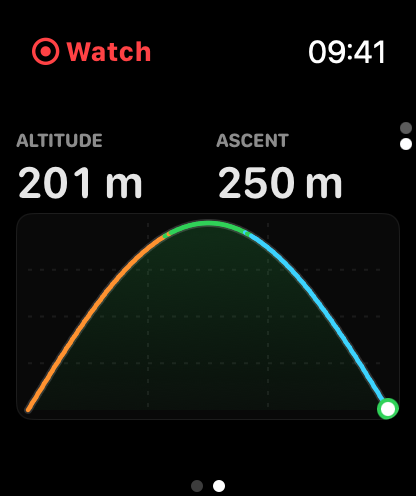
The Watch records your GPS track and shows a live cockpit of the metrics that matter for your activity:
- Distance, Time, and Moving time
- Altitude, Ascent, and Max altitude
- Heart rate straight from the Apple Watch sensor
- Pace for hiking, walking, and running — or Speed and Average speed for biking
- Slope, Climb rate, and VAM for the climbers
You can pause and resume anytime. The status bar shows Watch or iPhone, depending on which device is recording. A GPS warning lets you know if the signal drops.
Saved and synced automatically
Your activity is saved as an Apple Health workout — complete with route, heart rate, and elevation — so it counts toward your activity rings. When you finish, the recorded track syncs back to Guru Maps on your iPhone, where you can view the full track analysis: elevation, speed, and slope profiles, detailed statistics, and everything else. Long activities transfer in segments, so even multi-hour days come across reliably.
Get started
Update Guru Maps on your iPhone and install the Watch app from the Apple Watch app or the App Store. Navigation works for everyone. Standalone recording on the Watch is part of Guru Maps Pro.
Leave the phone in your pocket and head out — your route and your stats are right there on your wrist. Enjoy the trail! 🥾