Quick Places

· 2 min read
Yulia Musaeva
Product Manager at Guru Maps

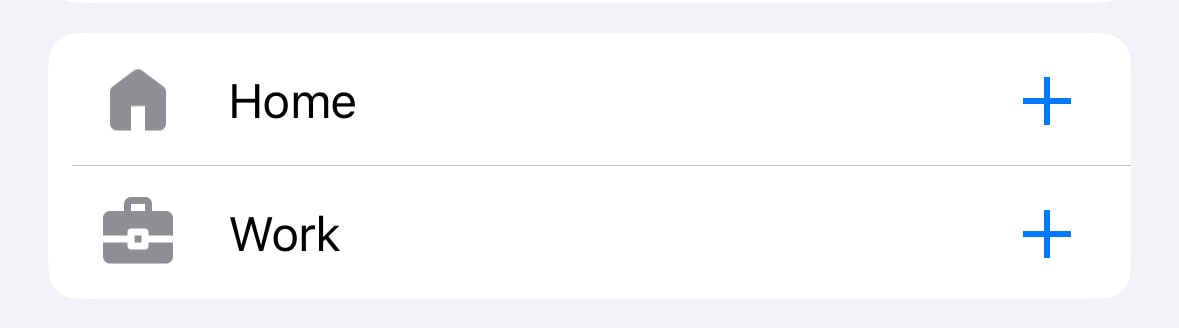
Guru Maps includes countless objects, roads, and points of interest. With so many locations marked, it's easy to overlook the places you visit most often.

That's where quick places come in handy, allowing you to save your Home and Work locations permanently and get directions in a single tap.

Default Home and Work Quick Places in Guru Maps

Understanding GPS Filtering

· 3 min read
Yulia Musaeva
Product Manager at Guru Maps

While recording a track, the app continuously retrieves data from your device's GPS module, updating the current position on the map in real time — typically every second to produce highly detailed tracks of your activities. The challenge is that sometimes (especially when accuracy is low) the values vary significantly, causing the current position to “jump” between distant points on the map.

The latest mobile phones are highly accurate and can locate your device with a precision of up to three meters, but environmental factors and device settings can still significantly affect accuracy.

With the GPS filtering feature, Guru Maps users can rely on more accurate and dependable recorded tracks for activities like hiking, cycling, or off-road adventures where precision matters.

GPS filters in Guru Maps application

Analysis and Visualization of GPS Tracks

· 4 min read
Yulia Musaeva
Product Manager at Guru Maps

Our team has been hard at work for the last few months, and we are delighted to introduce all-new GPS track analysis and visualization features in Guru Maps, available with v5.4.0.

Whether you are hiking, biking, running, or simply strolling through the great outdoors, these new features empower you to analyze and visualize your activities in Guru Maps like never before.

GPS track recording in Guru Maps

Using MBTiles and SQLiteDB Files

· One min read
Yulia Musaeva
Product Manager at Guru Maps

Starting now, importing .mbtiles and .sqlitedb files into Guru Maps is absolutely free for everyone. These formats, which GIS professionals use to create raster maps, are now available to all—from geospatial experts to rescue and firefighting teams.

Integration with Guru Maps

· 2 min read
Evgen Bodunov
Founder of Guru Maps

Hello to our valued users and fellow developers!

We are thrilled to share some exciting news about the Guru Maps app. The latest version 5.3.5 for iOS and 5.3.2 for Android brings a host of significant enhancements, specifically designed to streamline the integration process with our application.

Cyclists in the mountains and API integration behind the scenes

Hiking with Guru Maps

· 4 min read
Yulia Musaeva
Product Manager at Guru Maps

Going for a hike is an excellent way to stay fit, relieve stress, and spend more time in nature. No matter what type of trail you choose, hiking requires caution and a reliable map to find the trailhead and stay on course. Offline topographic maps are crucial when you lack cellular coverage, and the Guru Maps app can help.

Topographic maps in Guru Maps app

Truck & Motorcycle Navigation

· 2 min read
Yulia Musaeva
Product Manager at Guru Maps

As developers of Guru Maps, we constantly strive to make our navigation app the best it can be for every user. We're excited to announce that starting with version 5.3.1, Guru Maps now includes navigation settings tailored specifically for motorcyclists and truckers.

Guru Maps for Motorcycle Riders

Guru Maps for motorcycles

Transfer App Purchase Across Platforms

· 2 min read
Yulia Musaeva
Product Manager at Guru Maps

Are you tired of repurchasing the same app for different stores? Say goodbye to that inconvenience because now transferring your Guru Maps app purchase from iOS to Android or vice versa is a breeze!

Guru Maps lets you share your purchase from the App Store or Google Play with all your devices, regardless of operating system. Here's a simple guide to get started.