Guru Maps 6.4: your trip as a 3D video, a clearer map and transit routes

Guru Maps 6.4 is out for iPhone, iPad, Mac and Apple Watch. The Android version is coming soon, and it will appear here first, on our Android download page. A new version of our map engine draws a clearer map, a recorded track turns into a 3D video, transit stops list their routes, and opening hours follow the place's own clock.
Every example below is a real place, shown by the app as you get it today. Here is our climb to the Trzy Korony in the Pieniny, 4.6 km and 493 m up, as Guru Maps shares it:
Your trip as a video or a photo
Open any track, tap the share button and pick Share Video or Share Photo.
Share Video makes a 15-second 3D flyover along your track, like the one above. Distance, climb and time count up as the camera flies, and the elevation profile fills in at the bottom. Share Photo puts the whole track and the same numbers on one square picture.
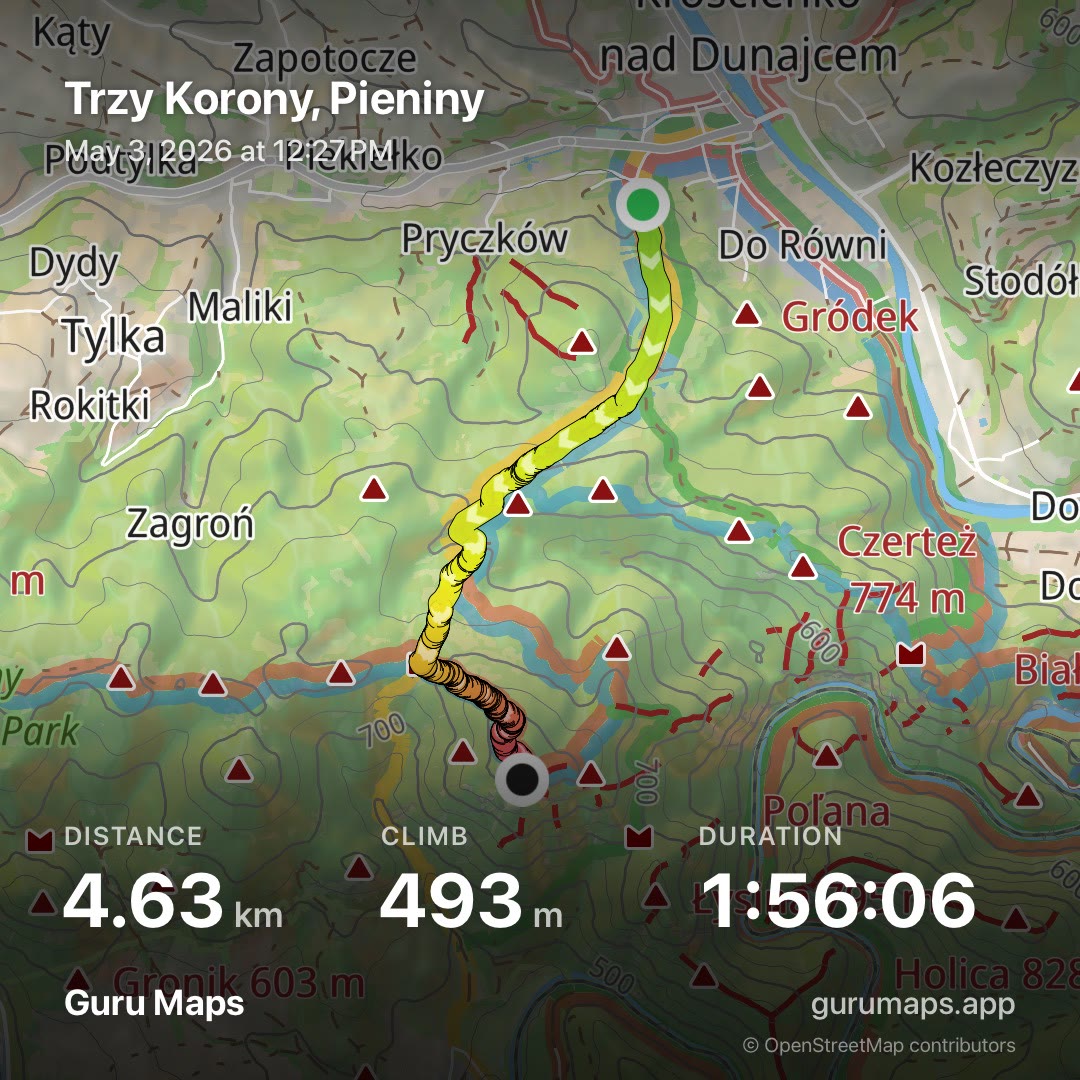
Both use your map as it is: the style, the relief and the overlays you have turned on. Share a hike from the hiking map, and it looks like a hiking map. The video is made on the phone itself while the Share button fills up.
A clearer map
Labels are easier to read and overlap less. Names of rivers and lakes are in italics, long names wrap onto two or three lines, and labels fade in and out instead of jumping while you move the map. A place whose icon doesn't fit between the others becomes a small dot in the icon's color, and you can still tap it.
In many countries, road numbers sit on shields shaped and colored like the local road signs: blue A-signs on German autobahns, red S-signs on Polish expressways, Interstate and US Route shields in the United States.
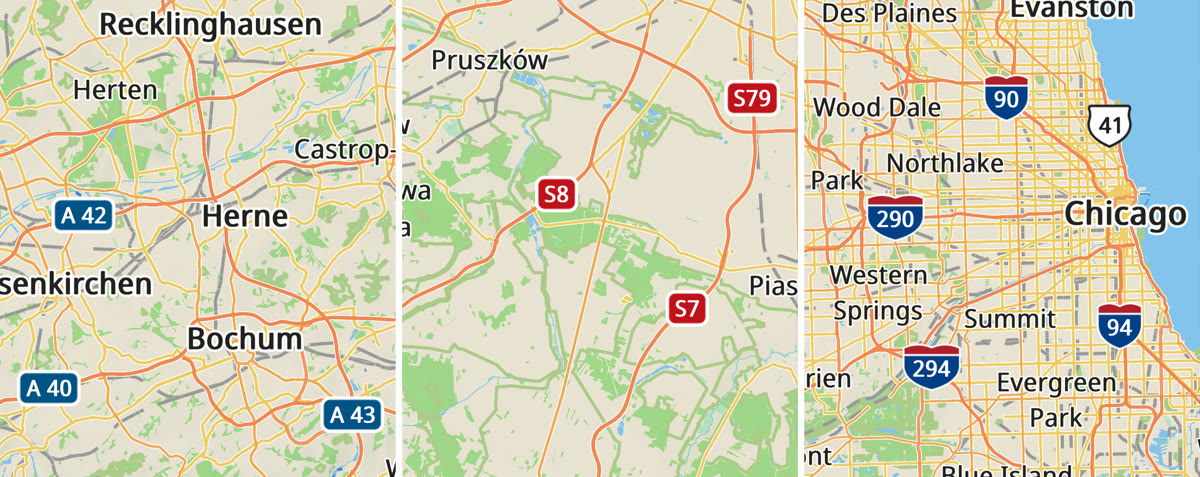
The Ruhr, Warsaw and Chicago at zoom 10.
Metro lines run side by side in their own colors, and stations show the logo of their network.
When hiking and cycling routes share a path, each gets its own translucent band in its color, side by side. You can follow one trail's color through every junction, and the dashes of the path still show through.
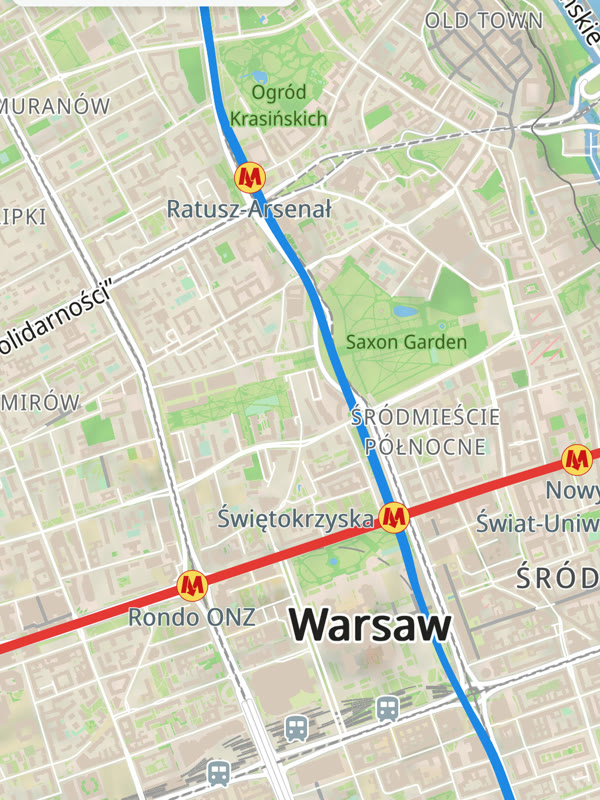
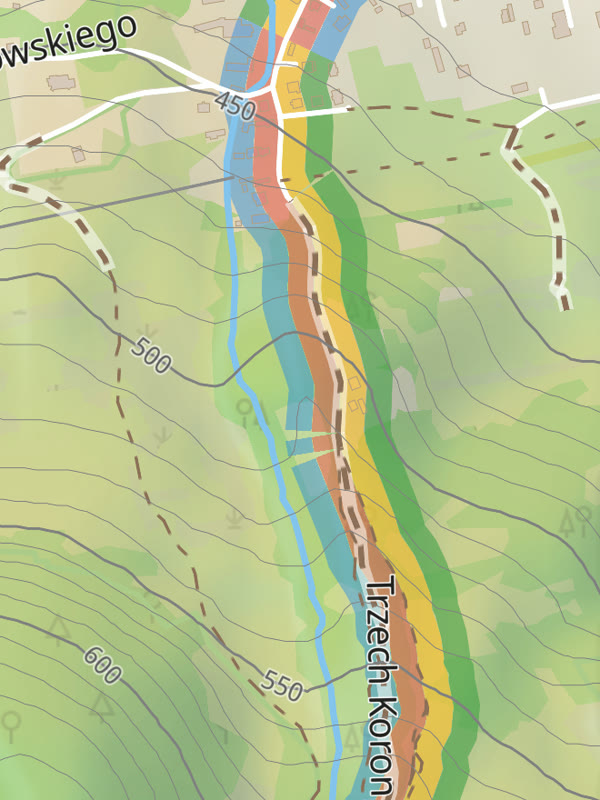
The two metro lines of Warsaw cross at Świętokrzyska. Four marked trails leave Krościenko nad Dunajcem along the same road.
Relief is sharper from zoom 10.5, and Switzerland, Liechtenstein and Poland have more detailed elevation data.
Route bands, the area outlines and the transit routes below need the new offline maps. After the update, open Download Maps and tap Update All.
Tap a park to see all of it
Tap the name of a park, a lake or a building, or pick one in search results, and Guru Maps outlines the whole area along its border. The outline follows the map as you zoom and disappears when you close the card. It works on the updated offline maps and on the online map.
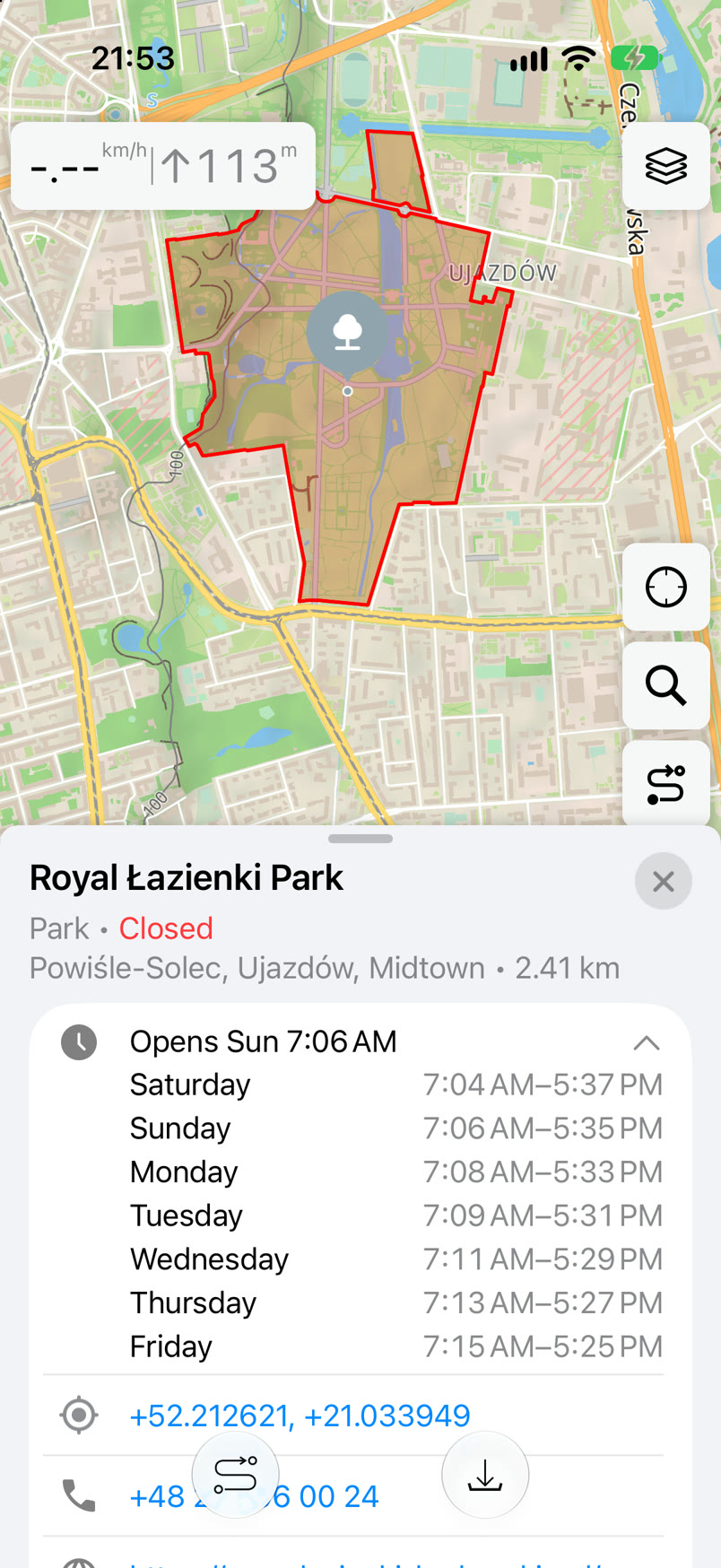
Royal Łazienki Park in Warsaw is open from sunrise to sunset. The card shows the real times for every day of the week.
Opening hours on the place's clock
We rewrote how Guru Maps reads opening hours. Open or closed now depends on the local time at the place, not on your phone's clock. Hours that run past midnight, sunrise and sunset, and days off are read correctly. The status changes by itself while the card is open, and search results show it too.
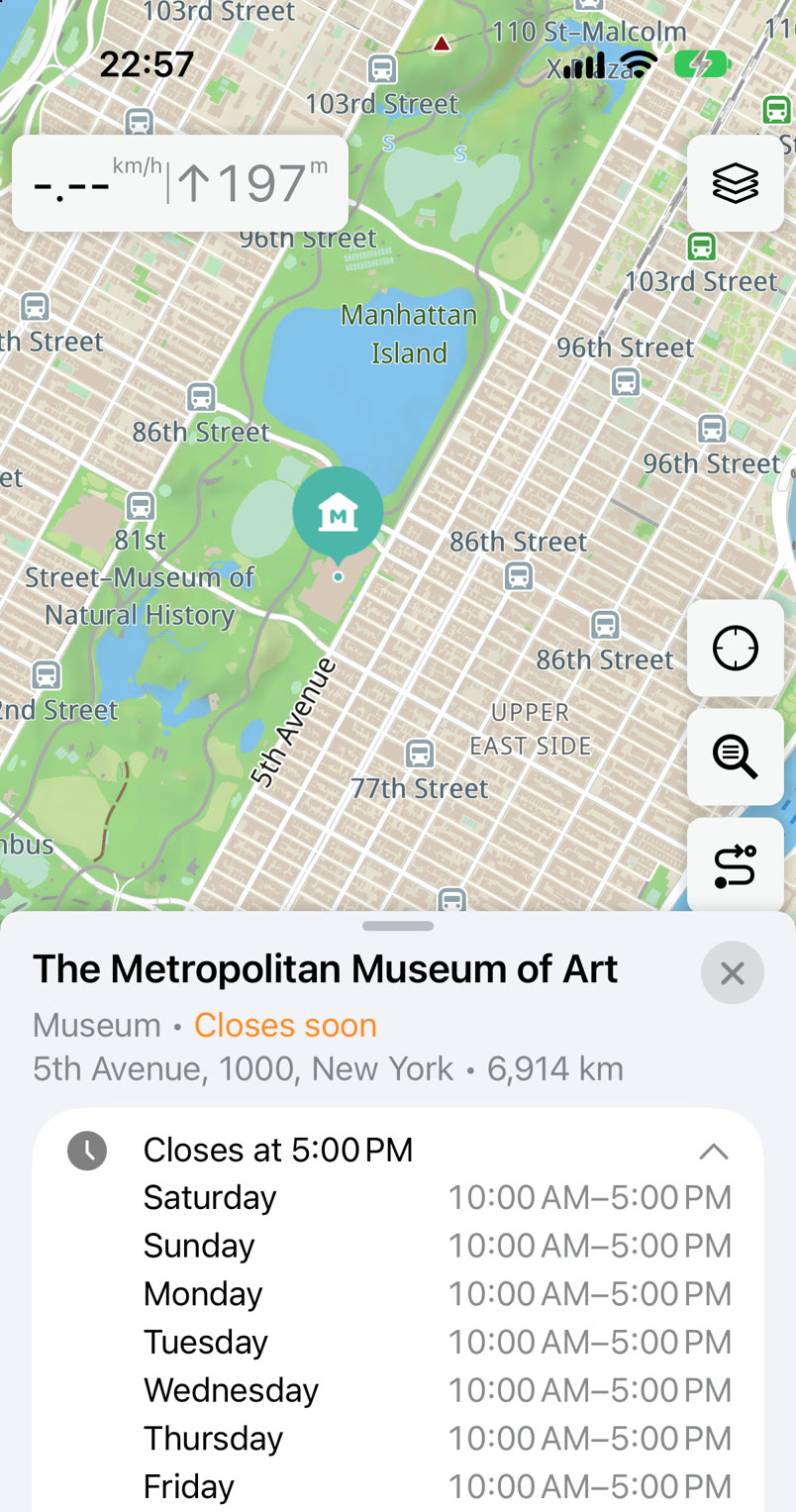
A phone in Warsaw at 22:57 opens the Met in New York. It is 4:57 PM there, so the museum closes soon. Version 6.3 compared its hours with the phone's clock and showed it closed.
From a stop to its routes
Turn on Public transport stops in Settings → Map Objects and tap a stop. Its card lists every route that stops there, sorted by number. Tap a route to see its whole line and all its stops on the map, and go back to the stop when you are done. You can also find a route in search by its number or name, like bus 138 in Warsaw or a named hiking trail.
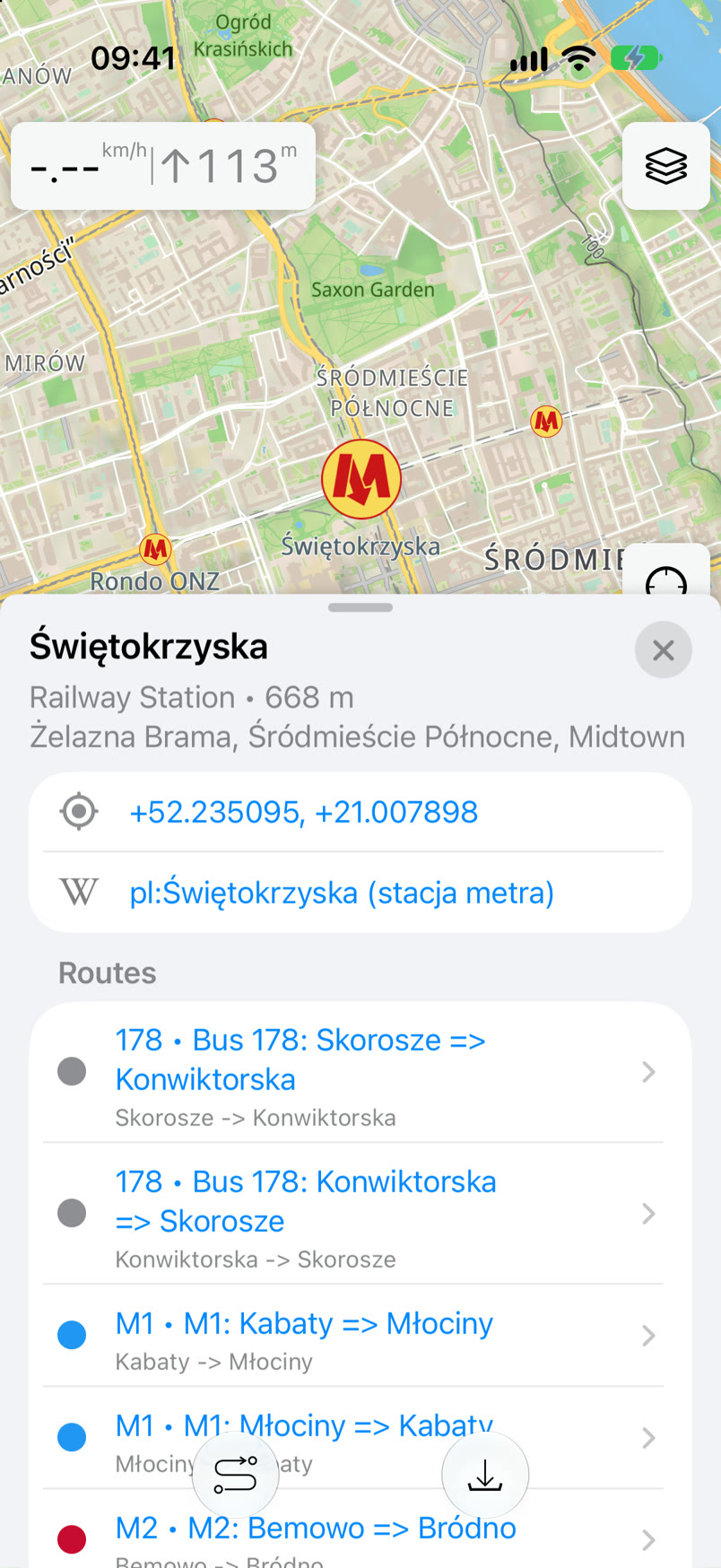
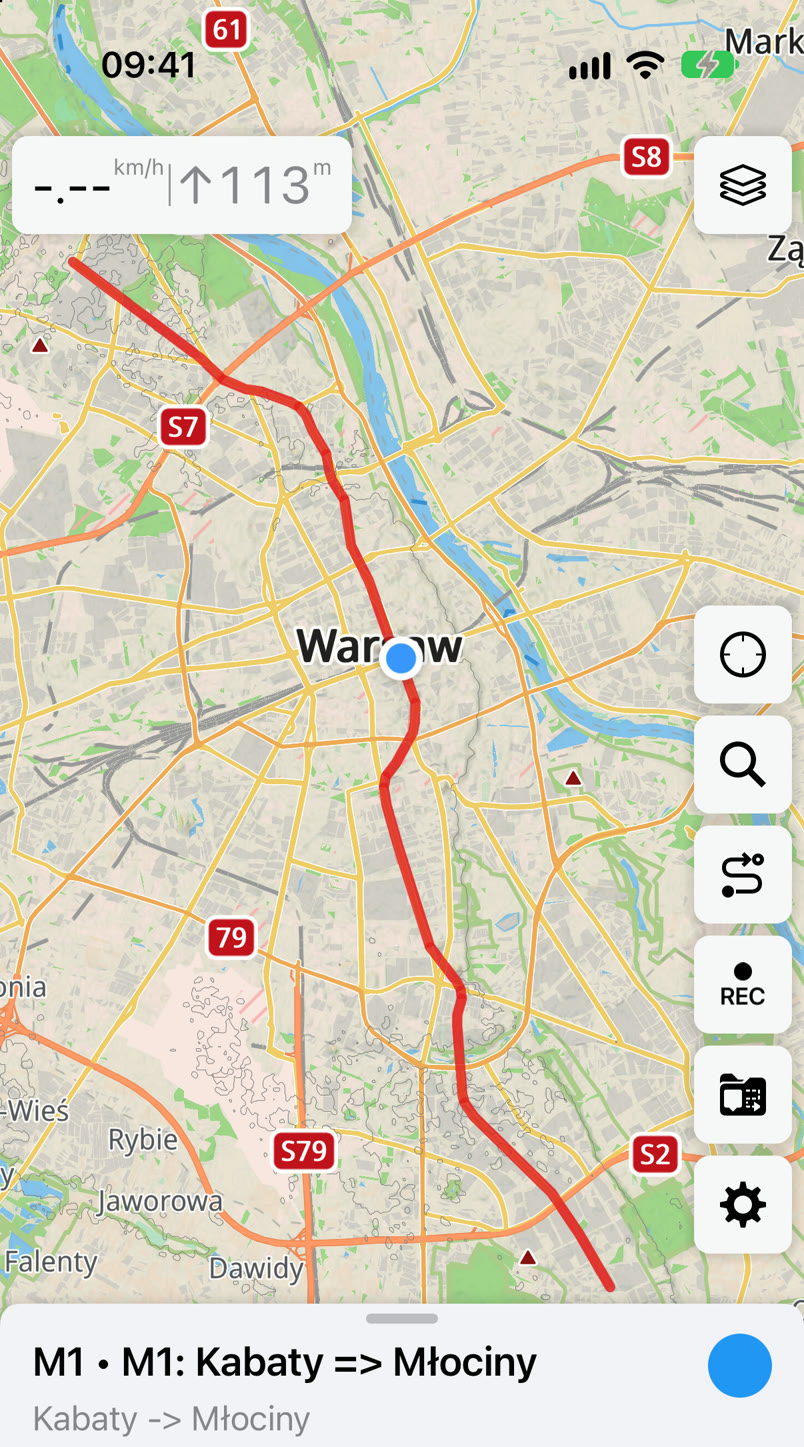
Świętokrzyska, where the two Warsaw metro lines cross, and the whole M1 line.
Routes come from offline maps, so download the map of your city first.
Search
When online search takes a while, a spinner shows that it is still working. Online results now have category icons, the same as offline ones. Online search also handles small typos.
Coordinates can be entered in more ways. Copy any line below and paste it into Guru Maps search: each one leads to the Main Square in Kraków. A short plus code alone is found around the center of the map. Add a town after it, and it works from anywhere.
50°03'41"N 19°56'18"E50,0614 19,93839F2X3W6Q+H83W6Q+H83W6Q+H8 Kraków34U 424008 554599734U DA 24008 45997A minus sign, a comma instead of a decimal point and non-breaking spaces copied from a web page no longer get in the way.
Climb that matches the hill
Climb is now counted from altitude averaged over 30 seconds, in steps of at least 3 meters. A float down a flat river no longer climbs hundreds of meters, and a real climb comes out close to the height you gained. Slope is measured over at least 2 meters of movement, and slope coloring no longer has gray gaps where points lack altitude. The whole story, with charts from our own trips you can play with: How Guru Maps counts your climb.
Apple Watch
- The Watch records altitude with its barometer, so altitude and climb on the Watch are close to the iPhone's.
- Navigation can stay on the screen. Allow Workouts in Health, and Guru stays in front and taps your wrist before every turn.
- Tap the Guru Live Activity in the Smart Stack to open Guru on the Watch.
- A track recorded on the Watch reaches the iPhone complete and without duplicates, even when the iPhone app was closed or out of reach.
Update Guru Maps from the App Store, then update your offline maps. On Android, 6.4 will appear first on our download page, before Google Play. Here is how to install an APK without losing your data. We'd love to hear how 6.4 works for you in our Telegram chat.